Getting Started in Drive A Tuk Tuk
Your first-session checklist for Lumora Inc.’s free Roblox tuk-tuk simulator.
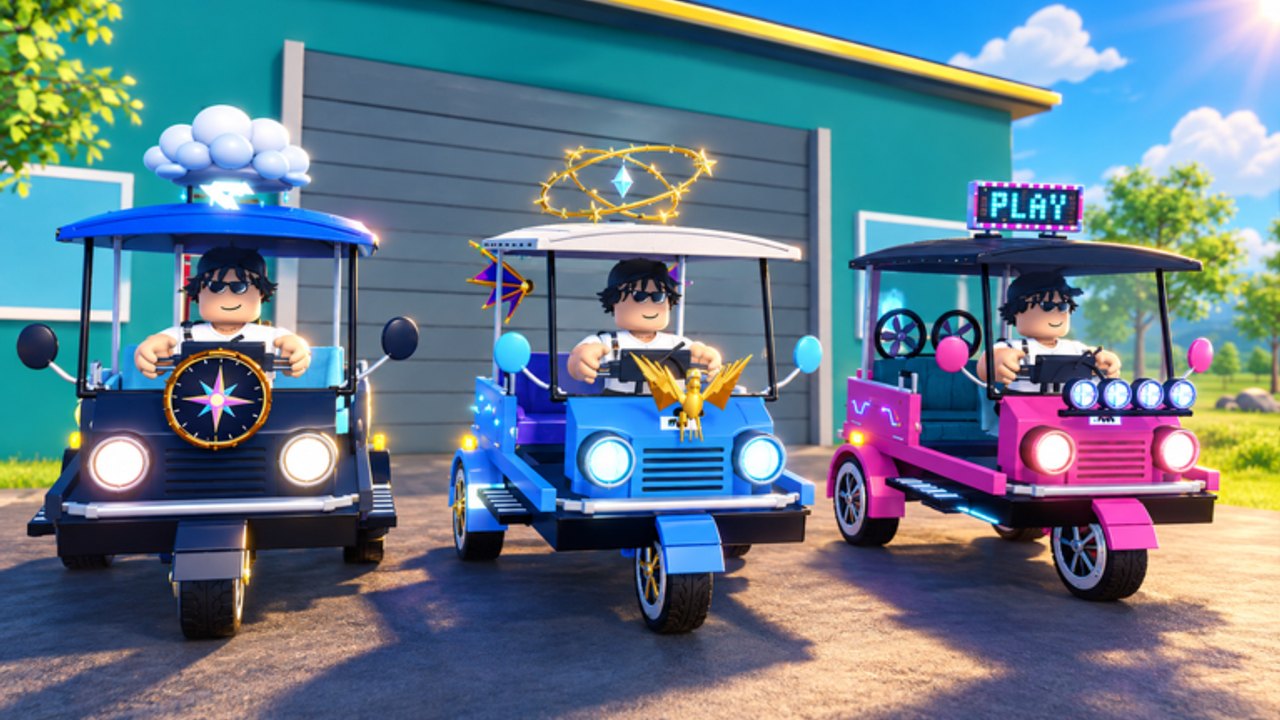
Drive A Tuk Tuk is a free-to-play Roblox vehicle simulator from Lumora Inc. You spawn, grab a tuk-tuk, and turn clean driving into cash. Farther and faster runs pay more. Cash buys speed, acceleration, handling, and brake upgrades, plus colors, wheels, and lights. Stronger stats unlock faster tuk-tuks, daily and weekly quests keep goals fresh, and record boards challenge top speed and distance. This guide walks a brand-new player through the first session without wasting early money.
Play on PC, mobile, or console through the Roblox client via the official experience page. Before optimizing anything, finish one honest loop: spawn → drive → earn → upgrade → drive again.
First 15 minutes checklist
- Join Drive A Tuk Tuk and wait for the world, UI, and vehicle prompts to finish loading.
- Claim or spawn your starter tuk-tuk if the game shows a dealership, garage, or free starter prompt.
- Open any tutorial tips or HUD labels once; note where cash, upgrades, quests, and customize menus live in your build.
- Take a short low-speed lap to learn steering weight before you floor it into traffic.
- Complete one medium-length route focusing on distance without crashing every corner.
- Spend your first cash on performance (usually speed or acceleration) — not cosmetics. Details live in Upgrades.
- Glance at daily/weekly quests so your next drives count twice — see Quests.
- Bookmark this wiki’s Codes Hub (no verified active codes yet) and the Guides Hub.
If a menu name differs after a patch, trust the on-screen labels in your client over any outdated screenshot.
Understand the core loop
Drive A Tuk Tuk rewards motion. Sitting still earns nothing. The economy roughly follows:
- Distance — longer continuous runs usually bank more cash.
- Speed — higher average and peak speeds improve payouts when you can hold control.
- Quests — daily and weekly objectives add burst rewards on top of normal driving income.
- Upgrades — better stats make the next loop safer and faster, compounding earnings.
- Unlocks — faster tuk-tuks raise your ceiling; treat the Tier List Hub as progression guidance, not an official Lumora ranking.
- Records — top speed and distance boards are endgame flex goals once your build is stable.
Weather, environments, and day/night cycles change visibility and how aggressive you should be. Night glare and rain are terrible times to discover your brake upgrade is still level one.
Badge milestones also confirm extra loops beyond pure cruising: pick up a passenger and deliver for First Fare, join roadside races with checkpoints for Checkered Flag, and practice drift, wheelie, and airborne hang time once your starter feels stable. Distance badges track 100 m, then 1 km, 5 km, and 25 km of cumulative driving.
Watch the loop in motion
The embedded gameplay below is a real session from Bang Boy Gaming. Use it to recognize the HUD, pacing, and general feel of driving before you min-max numbers. One video only — then come back to the text checklist.
Controls you should learn day one
On PC, expect the usual Roblox driving pattern: W/A/S/D (or arrows) for throttle and steering, plus whatever brake, horn, camera, or interact prompts your current build shows after you seat the tuk-tuk. Mobile players use on-screen sticks and buttons; console players use the Roblox gamepad mapping. Exact extra binds can change, so verify prompts in-game. Deep notes and honesty about unconfirmed keys live on the Controls page and the Controls Overview hub.
Day-one practice drill:
- Accelerate in a straight line, then brake to a full stop without spinning.
- Take a wide corner at medium speed before attempting sharp cuts.
- Re-center the camera so you can read traffic and curb edges.
- Try one night or weather change intentionally so you know how bad visibility gets.
First cash plan (no scripts required)
Ignore automation for your opening hour. Scripts risk bans and teach bad habits — read the Scripts Hub only if you already understand the account warning. For legitimate income:
- Pick a route with fewer abrupt stops so you keep average speed up.
- Avoid stacking collisions; recovery time kills both distance and speed payouts.
- Turn in any easy daily quest objectives while you explore.
- Bank cash into speed/acceleration before fancy wheels.
- Reassess unlock prices for the next tuk-tuk instead of impulse-buying cosmetics.
Full routing ideas sit in Earn Cash Fast.
What to unlock next
After two or three upgrade ticks on the starter vehicle:
- Check whether a faster tuk-tuk is close enough that saving is smarter than another cosmetic.
- Skim the Tier List Hub for starter → mid → endgame unlock logic.
- Open Quests and plan tomorrow’s login around daily resets.
- Watch the Updates Hub and Lumora’s community page for patch notes that change prices or controls.
- Peek at Codes after major updates in case a verified reward string appears.
Common beginner mistakes
- Flooring it into dense traffic before learning brake distance.
- Spending the first 5,000 cash on colors instead of handling/brakes when you already crash often.
- Ignoring quests that would have paid for an upgrade on their own.
- Chasing world records on a stock starter in night rain.
- Trusting random “codes” lists — this wiki only publishes verified strings.
After your first session
You are “set up” when you can: spawn quickly, drive a clean mid-length route, survive a weather change, afford at least one meaningful performance upgrade, and know where quests and customize menus live. From there, alternate between cash routes and unlock goals. Return to this page only when a big patch resets your assumptions — otherwise live in the specialist guides linked above.
Official play link and Lumora community shortcuts also sit on the Links Hub.
Frequently Asked Questions
Quick answers to the most common Drive A Tuk Tuk questions.
Is Drive A Tuk Tuk free to play?
Yes. It is a free Roblox experience from Lumora Inc. Optional Robux purchases may exist in the platform shop, but the core drive-earn-upgrade loop is playable without paying.
What should I buy first with cash?
Prioritize performance upgrades — usually speed or acceleration, then handling and brakes if you crash often. Save cosmetics until your stats feel stable.
Where are the controls listed?
Use the Controls guide for PC/mobile notes and the Controls Overview hub for deeper driving tips. Always confirm live prompts in your client because binds can change.
Are there working codes for new players?
No verified active codes are listed yet. Check the Codes Hub after updates and keep grinding cash through driving and quests.
Should beginners use scripts?
No. Learn the loop manually first. Scripts can violate Roblox rules and risk bans. The Scripts Hub exists only as a documented warning and feature reference.